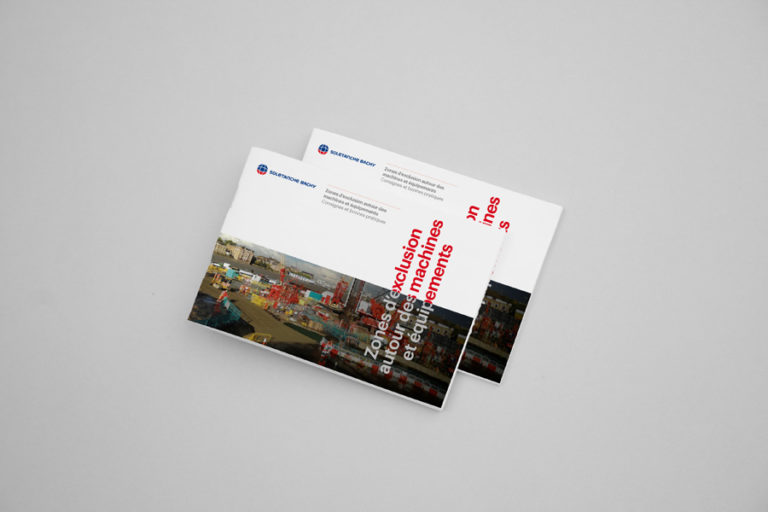




Download this ready-to-customize magazine mockup in PSD format. It lets you present your covers, interior layouts or editorial projects professionally and realistically - ideal for portfolios, customer presentations or print previews.
Why this mockup is useful
- Rendering realistic dynamic layers (smart-objects): your design is integrated into the mockup as if it were a real printed magazine. Web Designer Depot+2for nothing+2
- Time-saving compared to a photo shoot: no need to shoot, organize a set or scan models. for nothing+1
- Suitable for all types of projects: magazine covers, booklets, catalogs, portfolios, visual presentations, etc. Unblast+2Template.pro+2
- Free use: free mockup for personal or professional projects.
How to use it
- Click on the «Download» button.
- Unzip the archive.
- Open the PSD file in Photoshop (or compatible software).
- Locate the “Smart Object / Place your design here” layer and double-click.
- Integrate your design (cover, pages, interior layout).
- Save the smart object: the mockup will be updated automatically.
- Export your visuals (PNG, JPG, PDF...) for presentation, posting or printing.
Recommended use
To test layouts, covers or visual identities in a credible context.
For your portfolios, to show a realistic view of your editorial projects.
For customer presentations: view a magazine or catalog before printing.
Real Magazine Mockup
Fill in this form to download. I'll also share with you some free resources I've created over the years.
All fields are required.
File format: ZIP, PSD
Size: 373 mb
Mockup format: 20×25 cm
Number of PSD files: 17
License: Free for commercial use