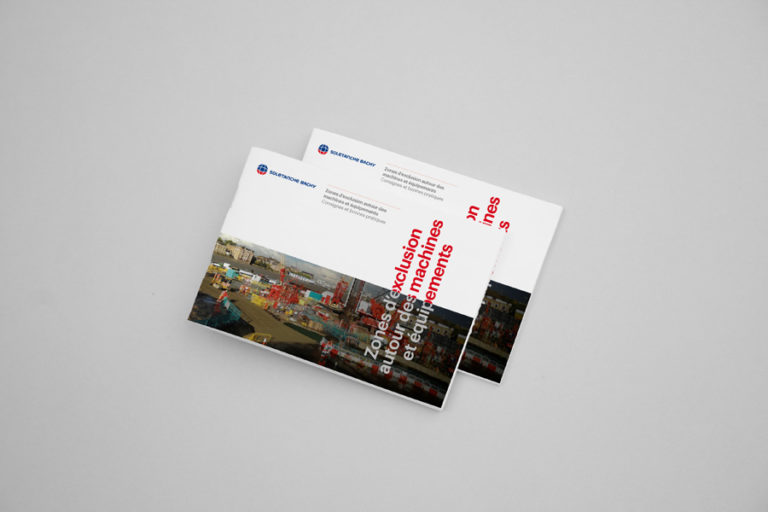


Set the scene for your flyers with style. Download this ready-to-use mockup - ideal if you want to quickly present a professional flyer design, for a client, a portfolio, or simply test a mockup before printing.

Why this mockup?
- Realistic visualization smart-objects: thanks to dynamic layers (smart-objects), your design appears realistically, as if it were printed. This allows you to judge the layout, proportions and colors before any tangible production. Webrief.+1
- Time-saving No more photo shoots or time-consuming staging - just open the PSD, insert your design and export. Good Mockups+1
- Versatility This mockup is suitable for all kinds of flyers - event, promotional, corporate or artistic - in both print and digital formats. Designbolts+1
- Free & open-source You can use it for your personal or professional projects, without any constraints - perfect for trial runs or customer demos.
How to use it
- Download the file via the available button.
- Unzip the archive.
- Open the PSD file in Photoshop or compatible software.
- Locate the “smart-object / replace me / place your design here” layer.
- Double-click on this layer and replace the content with your design (flyer, recto/verso, visual, etc.).
- Save and close the dynamic object - the mockup updates automatically.
- Export your visual (PNG / JPG / PDF) for web, client or print use.
Recommended uses
- Promotional media: social networks, newsletters, web visuals
- Customer presentations
- Showcasing a flyer on your website or portfolio
- Print preview to avoid layout or proportion errors
File format: ZIP / PSD
Image format: 3000 x 2000 px / 300 DPI
Flyer Mockup Altay
Fill in this form to download. I'll also share with you some free resources I've created over the years.
All fields are required.