
If you manage a WordPress site, you know how it goes. At some point you need a form. Contact, quote request, survey… it is the essential bridge between you and your visitors.
But type “form” into the plugin directory and you end up in a jungle.
To save you time, I compiled a Top 5 list of form builders. To be fully transparent, my own plugin is ranked first. I created it, so my opinion is obviously biased. Top 5 form builders. To be transparent, number 1 is my own plugin. It's a biased opinion, I freely admit.
Still, I encourage you to read the entire article. I analyze the real strengths of the major players, but also the downsides no one talks about, including performance issues, hidden costs and technical heaviness.
1. AD PRO FORMS: The answer to “too complicated”

I placed AD PRO FORMS in first position because I created it. And I created it because something was missing in the market.
I wanted a tool that would be:
- Lightweight and bloat-free: Clean code that does not slow down your site and loads only what is necessary.
- Reliable: A stable plugin you can count on, without recurring bugs.
- Design-focused: As a designer, I wanted real customization options so forms can match any modern theme.
- Powerful admin interface: A complete lead management area with the features you actually need.
- Great user experience: Smooth, modern and pleasant to use on the front end.
I believe it is a strong option, but my opinion cannot be neutral. This is why the rest of the article focuses honestly on the industry giants, so you can compare and decide for yourself.
👉 Try AD PRO FORMS and make your own evaluation
2. Ninja Forms
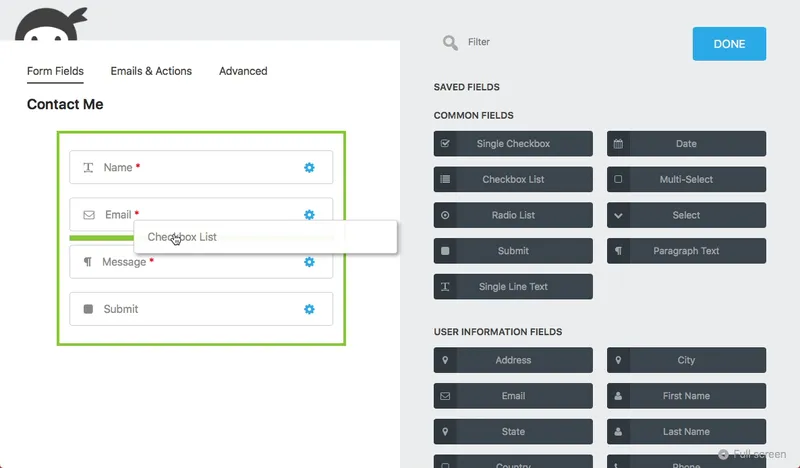
Ninja Forms is a major player in the market and deserves its place. It offers a modern interface, but you should be aware of its technical impact.
Positives:
- Excellent interface: Their drag and drop system is one of the most fluid and visually polished.
- Easy to learn: It's very intuitive, even for a complete beginner.
- Flexibility: With extensions, you can turn a simple form into something much more advanced.
- Community support: Tutorials and support are easy to find.
Negative points:
- Performance (Slowdowns): Loading many separate extensions slows down sites more than expected.
- The Freemium trap: The base plugin is almost empty.
- High cost: Each extra feature is sold separately, including basic things like uploads or PayPal.
3. WPForms
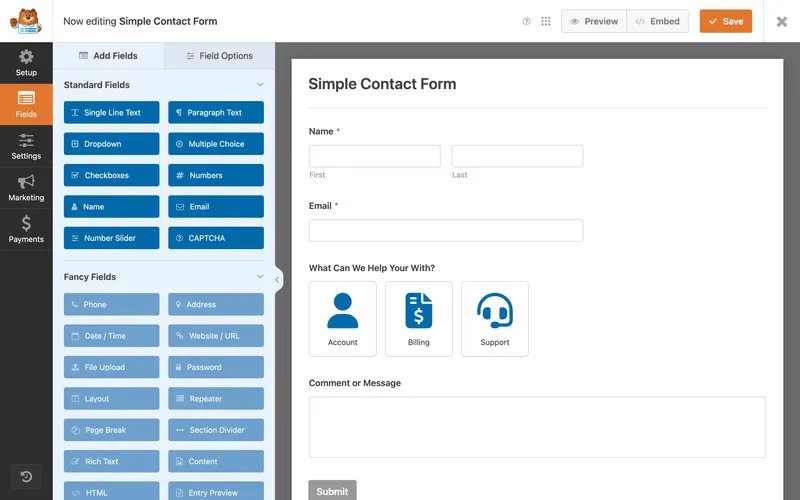
WPForms is the marketing giant and is often pre-installed by hosting providers. Its main selling point is simplicity.
Positives:
- Templates: very large set of ready-to-use forms.
- Guided experience: It takes you from start to finish in a reassuring way.
- Smart Tags: A practical system for dynamic field values.
- Notification settings: Their email alerts are very easy to configure.
Negative points:
- Heavy scripts: The marketing promises speed, but the technical reality often shows an overload of scripts (bloat). I've noticed that it loads a lot of resources, slowing down the site unnecessarily for simple forms.
- Limited Free Version : WPForms Lite feels more like a demo.
- High renewal cost: The annual cost can be quite high for small structures.
4. Contact Form 7
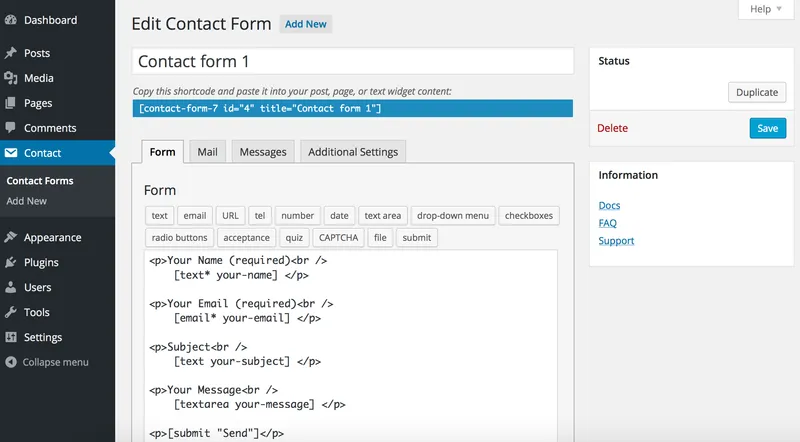
The oldest form plugin on WordPress. More than 5 million installations. A legend, but one that shows its age.
Positives:
- 100% Free: This is its major advantage. No premium version, no hidden features behind a paywall.
- Huge ecosystem: There are hundreds of free third-party extensions created by the community.
- Flexibility: If I know how to code, I can do almost anything with it.
- Historical reliability: It's solid, and has been working for over 10 years.
Negative points:
- Performance problems: By default, I've noticed that it loads its CSS and JavaScript scripts on all site pages, even those without forms. This is bad for Google PageSpeed.
- No visual builder: No drag-and-drop. I have to manipulate shortcodes and HTML, which is a pain.
- Very basic design: Without custom CSS, forms are often visually very basic.
5. Gravity Forms
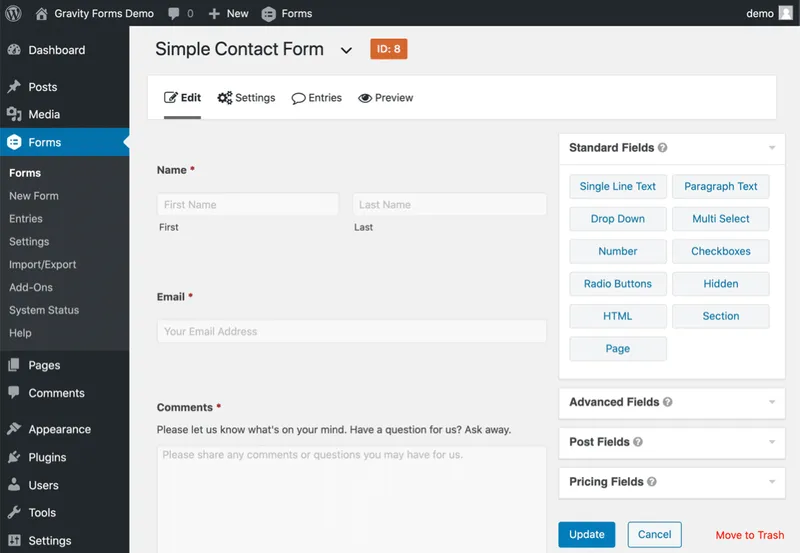
If Contact Form 7 is the grandfather, Gravity Forms is the engineer. It is the go-to solution for developers.
Positives:
- Extremely powerful: I can create complex calculations, multi-step forms and advanced conditional logic.
- Accessibility : They make a big effort to ensure that forms comply with web accessibility standards (WCAG).
- Integrations : It connects to virtually all existing third-party services (CRM, Payment, etc.).
- Solidity: It's a very stable plugin, designed for professionals.
Negative points:
- Outdated interfac: I find the interface less «sexy» and modern than that of the new competitors.
- Too heavy for most users: Installing Gravity Forms for a simple contact form adds unnecessary load to your site and database.
The verdict?
Each plugin has strengths, but also a cost, either financial or technical.
If you want something balanced, modern, lightweight and truly built with design and performance in mind, I suggest trying the newcomer. I designed AD PRO FORMS specifically to remove the frustrations found in the usual options.
Ready to try something different?