


 Figma plugin · Free
Match spacings and radius to variables
Puts your design system back in order: a scan finds every spacing, padding and corner radius value not bound to a variable in your file, suggests an exact or closest match, and applies it in one click.
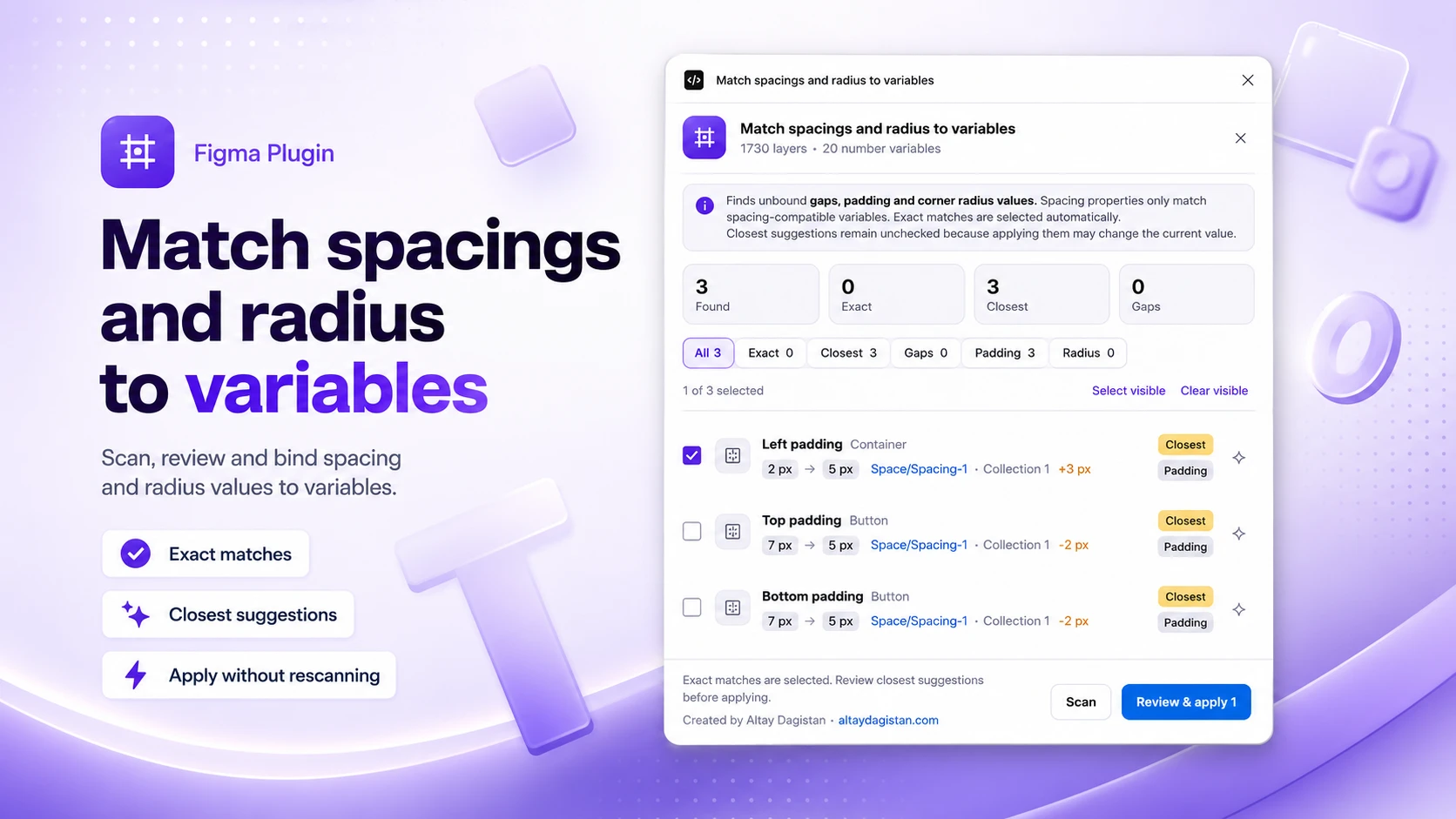
What the plugin detects
Every gap, padding and radius not bound to a variable, sorted by match confidence.
Exact matches, preselected
A value identical to an existing variable is checked automatically, ready to apply.
Closest suggestions to review
A close value stays unchecked by default: applying it would change the current value, so it's yours to confirm.
Scopes respected
Spacing variables are never suggested for a radius, and the other way around.
Apply without rescanning
Applied rows disappear from the list, the rest stay editable without running another scan.
Without the plugin, with the plugin
What you see after a scan
A faithful preview of the interface: same filters, same badges. Try them out.
Features
What's been refined across versions, up to 7.1.
Progressive scan results
Results render in batches of 250, with a button to load more on large files.
Responsive scanning
Processing yields regularly, so Figma stays usable while the scan runs.
Team library variables
Published collections enabled in the file are loaded, alongside local variables.
Deduplicated by published key
A library variable already loaded in the file is never counted twice.
Automatic retries
If Figma temporarily rejects a request, remote variable imports are retried at a lower concurrency.
Uniform corners recognized
A uniform radius binding stored as four individual corner bindings is detected and excluded from the scan.
No-match values flagged
A non-zero value with no compatible variable stays visible, with a dedicated badge, but can't be applied.
Zero network access
The plugin's manifest declares no allowed domain: no data ever leaves Figma.
Frequently asked questions
Yes. Match Spacing & Radius to Variables is free on the Figma Community, no account, no license and no file limit.
No. The plugin's manifest declares networkAccess: none, no domain is allowed. All processing stays local, except for loading team library variables already enabled in the file, which goes through Figma's own API.
The value stays visible with a No match badge. It can't be checked or applied: it's information, not a suggestion.
No. Only checked rows are changed when you apply. Closest suggestions stay unchecked by default, since applying them would change the current value.
Yes, since version 7.1. Published collections enabled in the file are loaded and take part in matching, alongside local variables.
Yes. Variables scoped for spacing are never suggested for a radius, and the other way around. An unscoped variable is only accepted when its name or collection clearly identifies it.
The scan yields regularly to keep Figma responsive, and results render in batches of 250 with a button to load more.
Altay Dagistan, freelance designer and developer based in Paris · altaydagistan.com.
Match Spacing & Radius to Variables · Free Figma plugin
InstallLet's talk about your project
Launching something new, refreshing your brand or evolving your website?
Tell me about your context, goals and constraints. I'll get back to you personally.
15+
years of experience
500+
projects completed
100+
clients served