


Case study · digital product
altaydagistan.com
Designing a complete digital platform, from interface to system
A public experience and its publishing environment, conceived as one product.
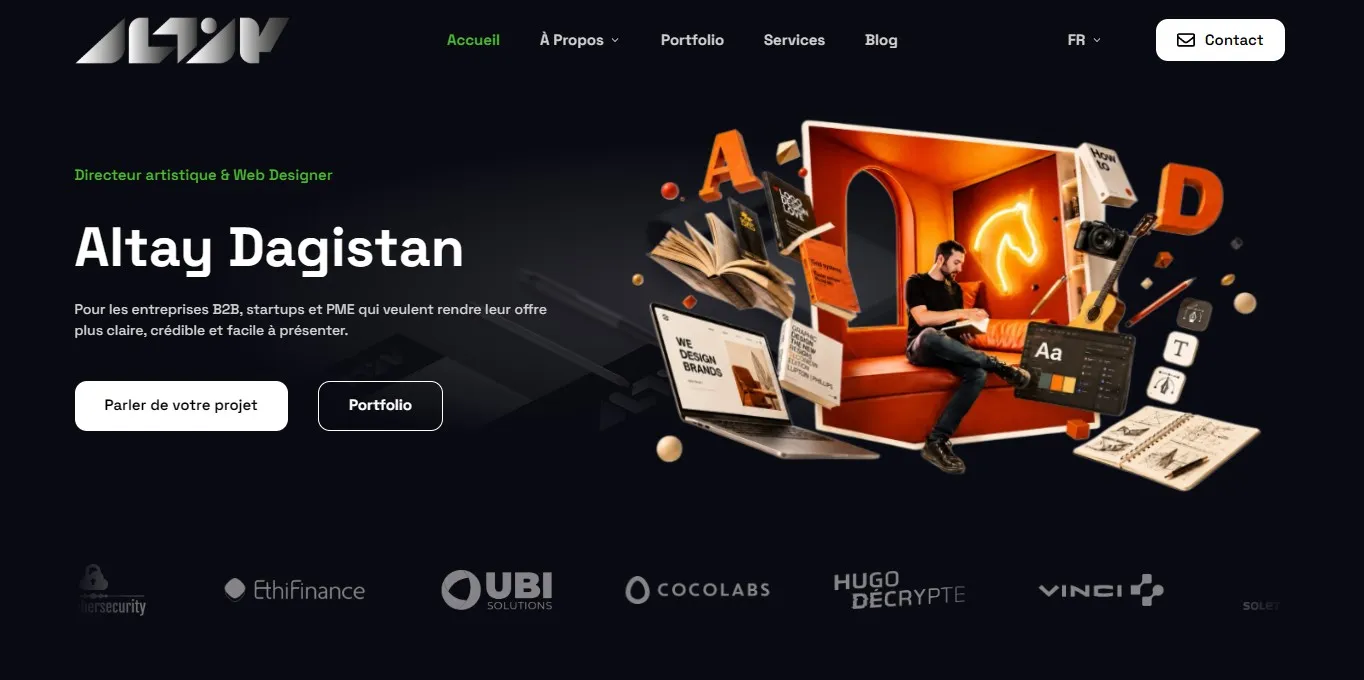
010203hero-cms-general-uiRebuilding the site was not simply a technical migration. The objective was to connect demanding art direction, fluid publishing, conversion features, multilingual content and a controlled technical architecture.
I designed the public interface, the custom CMS and the links between them. The result is a system that can support distinctive visual projects without turning their presentation into a rigid template.
01 / Intent
Start with the experience, not the tool
The project began with two users and two very different rhythms: a visitor discovering the work, and an editor maintaining a complex site over time.
That framing made it possible to judge every technical decision by its effect on clarity, visual freedom, publishing speed and long-term control.
- 01A distinctive frontend
Large imagery, motion and varied editorial compositions remain possible.
- 02A usable CMS
Content models and actions follow the actual publishing workflow.
- 03Useful conversion
Forms, protected resources and contact actions belong to the product.
- 04A controlled system
Languages, SEO, analytics, AI context and releases share one architecture.
02 / Art direction
Keep the art direction visible in the finished product
The frontend is not a neutral wrapper around CMS content. It carries a recognizable rhythm, typography and motion language while leaving room for projects with very different visual identities.
The same rules move from Figma to Astro components and responsive behavior. They define hierarchy and continuity without forcing every page into an interchangeable card.
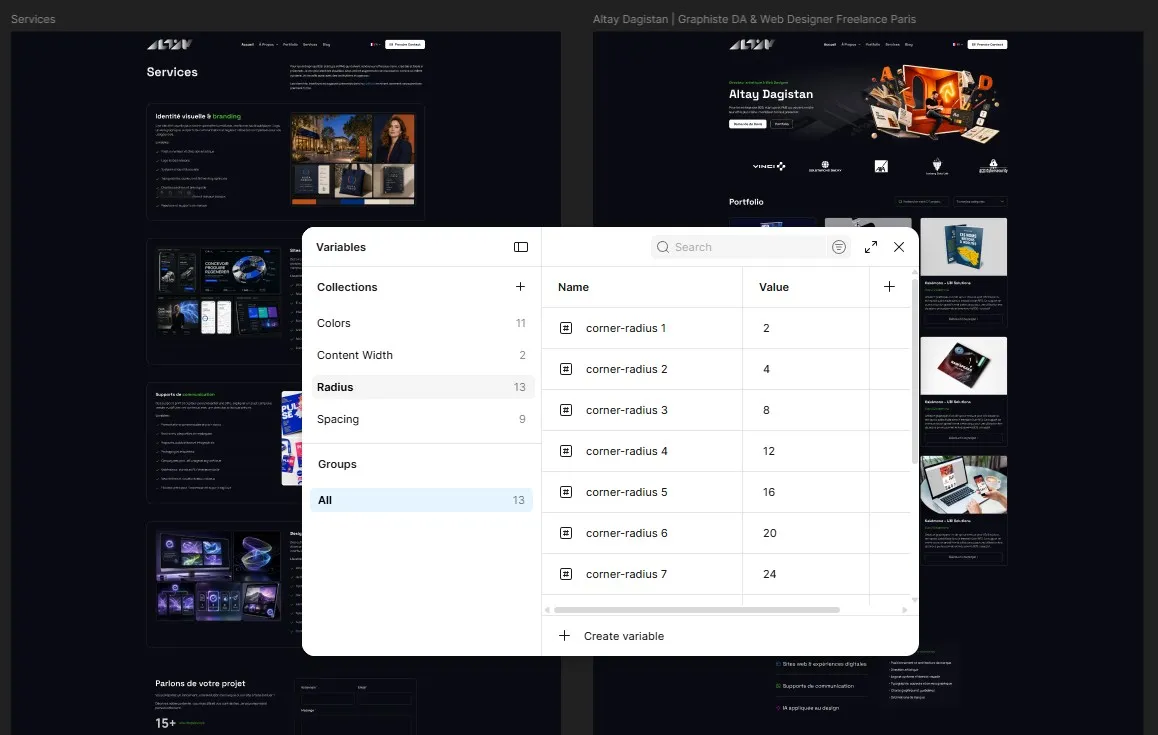
- 01Hierarchy
A stable reading order across editorial and commercial pages.
- 02Composition
Flexible layouts shaped by the content and its natural image ratios.
- 03Motion
Quiet transitions that clarify sequence without masking the work.
Three projects, three visual registers
The visual system preserves common reading cues while allowing each project to keep its own density, palette and image logic.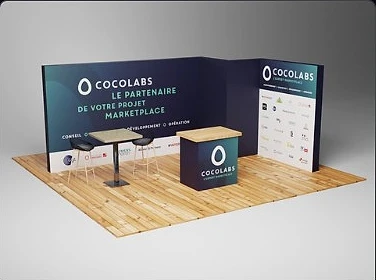
Cocolabs
Digital product and interface

HugoDécrypte
Editorial storytelling
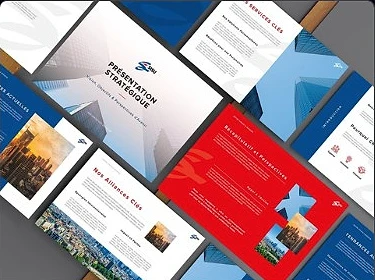
SISU
Pitch deck and visual narrative
03 / Editorial product
Design the CMS as a working interface
The administration is a product in its own right. Navigation, content models, states and actions are organized around frequent tasks rather than around a collection of plugins.
A project can combine metadata, ordered media, translations, SEO fields and specific content without collapsing into one generic text editor.
special_pagePubliéservicePubliéspecial_page Protégécms-admin-wideA dense but legible administration designed for daily publishing.
cms-project-editorStructured editorFields and relationships reflect the real shape of a portfolio project.
Voir+ Traduirecms-translation-coverageTranslation coverageFrench and English remain linked to the same conceptual content entity.
- 01Model
Pages, projects, articles and forms have explicit structures.
- 02Publish
Statuses, order, translations and visibility can be reviewed quickly.
- 03Extend
New fields and templates can be added without rebuilding the product.
04 / Architecture
Two applications, one product
The CMS manages and exposes structured content. Astro composes and generates the public site. Each side keeps the rhythm and responsibilities that suit it.
- 01Manage
Custom CMS
- 02Structure
Content API
- 03Compose
Astro frontend
- 04Deliver
Static public site
Fast pages, responsive imagery, motion and interactions are delivered without depending on the CMS at runtime.
Content, translations, requests, protected resources and publication controls remain in a specialized interface.
Quote requests, contact actions and secure downloads are integrated into the product.
Metadata, canonicals, structured data and indexation controls are part of publishing.
Useful actions can be read as a journey rather than as an isolated visit count.
Content and code can evolve independently without losing their shared structure.
05 / Integrated AI
Integrate AI agents directly into the workflow
AI is part of the platform’s working environment rather than an occasional intervention at the end of the chain.
/ai/site-context.jsonContenus publiés uniquement.ai/site-context.jsonBrouillons et identifiants internes/llms.txtCarte lisible du site{"site": { "defaultLocale": "fr" },"pages": [{ "slug": "services","status": "published","locales": { "fr": true, "en": true } }],"portfolio": [ … ]}cms-ai-contextThe implemented AI Context view separates private working data, the sanitized public index and the discovery file.
A private context for local work
The CMS automatically maintains a structured context for agents used locally. It describes the real state of the site: pages, projects, routes, languages, publication states, translations and the presence of key SEO information.
The .ai/site-context.json file is the reference index for Claude, Codex and other agents connected to the project. It lets them understand the editorial structure immediately and compare it with the code, components and project instructions.
PromptWhich pages still need translation?
PromptWhich content does not yet have a meta description?
PromptWhat is the current portfolio structure?
PromptWhich routes must be considered before changing navigation?
This reduces manual context handovers and puts AI directly into design, development and maintenance workflows.
A controlled public exposure
The context used locally remains separate from what is made available on the public site.
During the build, Astro generates a sanitized version of the index at /ai/site-context.json, along with an llms.txt file that provides a concise site map for compatible systems. Drafts, internal identifiers and administration metadata remain excluded from this public version.
Pages, projects, languages, publication states and SEO information follow a predictable, machine-readable structure.
Agents work from the local environment with access to the code, project instructions and a current CMS state.
CMS changes refresh the private context, while deployment rebuilds the public files from the current source.
Development information remains private while the public export contains only what is useful for understanding the published site.
This architecture makes AI a native layer of the product: agents have the context they need to understand the system and work with greater precision. Making this data available facilitates its use by compatible tools, but does not guarantee use, citation or ranking by an AI service.
06 / Quality
Treat performance and robustness as design criteria
Static generation, responsive image formats, self-hosted fonts and limited browser-side dependencies protect the experience instead of being treated as an optimization pass.
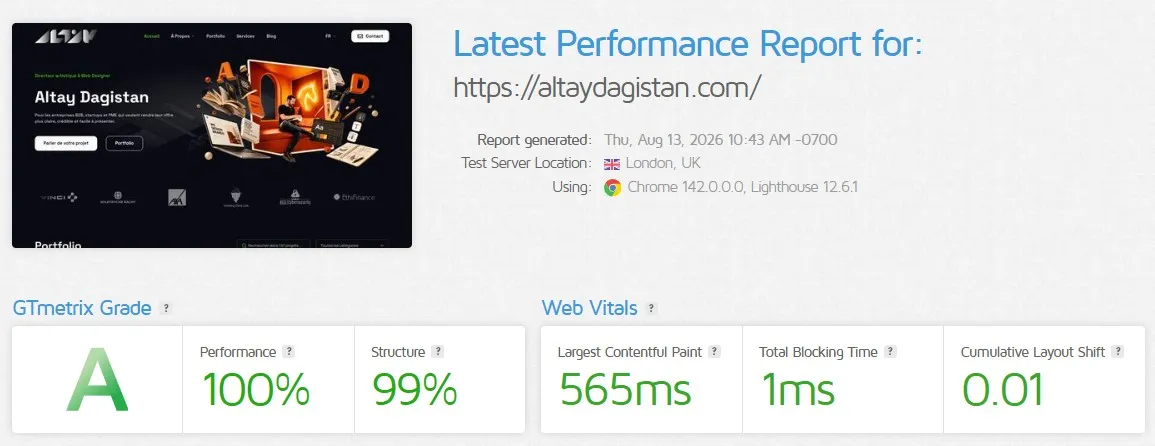
Publishing fields produce the canonical, social and structured outputs expected by the frontend.
Secure sessions, CSRF protection, prepared queries, rate limits and controlled access stay behind the interface.
Code checkpoints, database backups and explicit releases preserve rollback points.
07 / Evolution
Make change deliberate and recoverable
The platform is designed for ongoing work. Content and code can evolve independently, while sensitive changes pass through a short, visible release sequence.
- 01Checkpoint
Save the current code state
- 02Back up
Protect the content and data
- 03Verify
Build and review the public site
- 04Publish
Release through an explicit decision
Conclusion
A platform designed to evolve
The main result is neither the CMS nor the frontend in isolation. It is the environment that connects them: structured enough to remain dependable and open enough to support changing editorial and artistic needs.
The site is no longer only where the work is presented. It has become a product that demonstrates the same design judgment, technical control and attention to use offered to clients.
Discuss a digital project