


Resources · WordPress
Top 5 Best WordPress Form Plugins (The Honest Guide)
If you manage a WordPress site, you know the drill: sooner or later, the need for a form arises. But type “form” in the extensions directory, and it’s a jungle out there. To save you time, here are my Top 5 form builders — in full transparency: Number 1 is my own plugin, an inevitably biased opinion. I nevertheless invite you to read the entire article: I analyze the real strengths of the giants of the sector, but also their hidden sides (costs, heaviness, performance) that no one mentions.
1. AD PRO FORMS — the answer to “too complicated”

If I place AD PRO FORMS in first position, it’s because I created it. But if I created it, it’s precisely because something was missing on the market. I wanted a tool that was:
I am convinced that this is an excellent option, but as my opinion is necessarily biased, I invite you to read on to form your own opinion.
Discover AD PRO FORMS ↗2.Ninja Forms
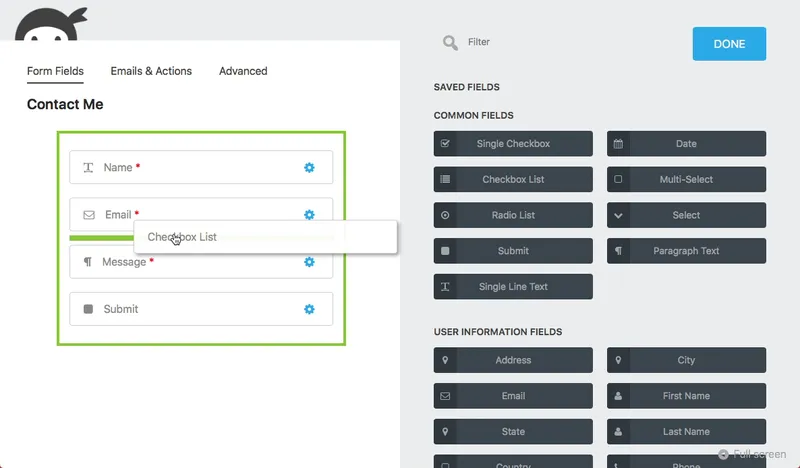
Ninja Forms is a heavyweight in the sector and deserves its place on the podium. It is highly appreciated for its modern approach, but one must be aware of the technical impact.
Positive points
- Superb interfaceThe drag and drop system is one of the smoothest on the market.
- Learning curveVery intuitive, even for a complete beginner.
- FlexibilityExtensions allow you to transform a simple form into a complex tool.
- Community SupportVery popular, so easy to find tutorials and help online.
Negatives
- PerformanceLoading multiple separate plugins adds to the site and speed.
- The “freemium” trapThe basic plugin is free but very empty.
- High costPayPal, file upload: each feature increases the bill.
3. WPForms
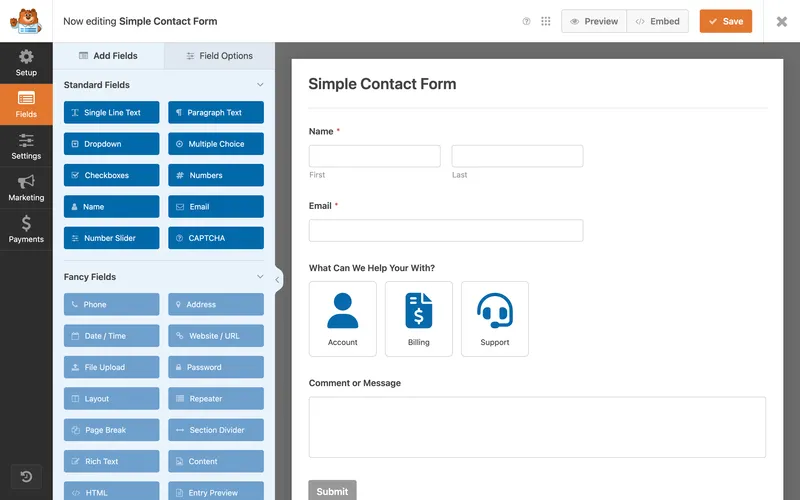
WPForms is the marketing giant, often pre-installed by hosts. It focuses on simplicity (“beginner friendly”).
Positive points
- The modelsA massive library of ready-to-use forms.
- Guided experienceThe interface is hands-on from start to finish.
- Smart TagsThe dynamic tagging system pre-populates certain fields.
- NotificationsA very clear email alert system to configure.
Negatives
- Performance and bloatA script overload that slows down the site for simple forms.
- Limited free versionThe Lite version is essentially a demo.
- Renewal pricesThe annual cost can be high for small structures.
4. Contact Form 7
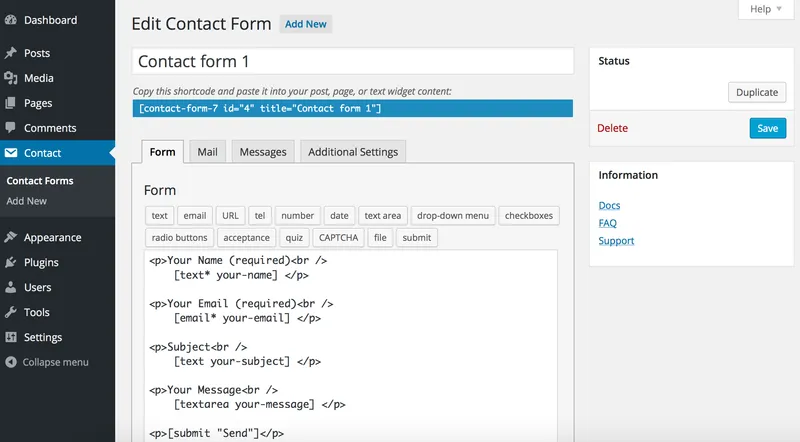
It is the grandfather of WordPress forms. With more than 5 million installations, it's a legend, but one that's starting to tire.
Positive points
- 100% freeNo premium version, no features hidden behind a paywall.
- Huge ecosystemHundreds of free third-party extensions created by the community.
- Raw flexibilityIf you know how to code, you can do almost anything with it.
- Historical reliabilityIt's been working for over 10 years.
Negatives
- PerformanceLoads CSS/JS scripts on all pages, even without a form. Bad for PageSpeed.
- No visualNo drag and drop: shortcodes and HTML by hand.
- Austere styleWithout custom CSS, forms remain very basic.
5. Gravity Forms
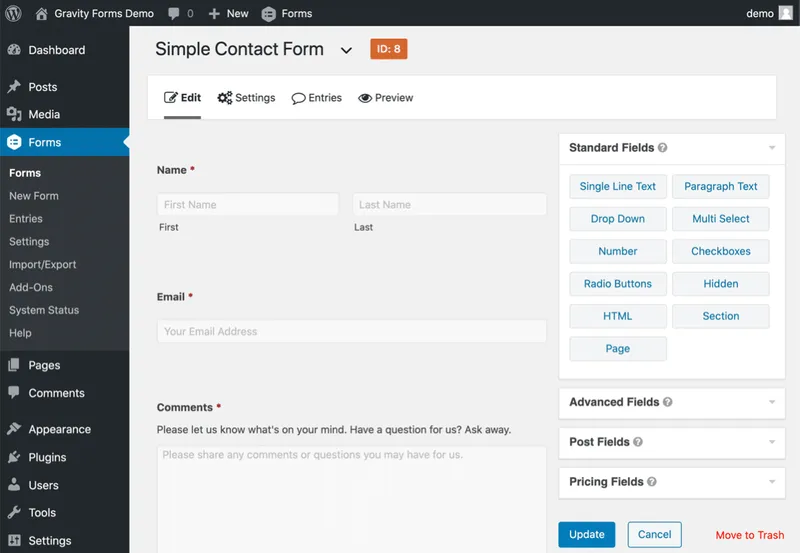
If Contact Form 7 is the grandfather, Gravity Forms is the chief engineer. It is the absolute reference for developers.
Positive points
- Unrivaled powerComplex calculations, multi-step forms, advanced conditional logic.
- AccessibilityA big effort for compliance with web accessibility standards (WCAG).
- IntegrationsConnects to almost any existing third-party service.
- SolidityA very stable plugin, designed for professionals.
Negatives
- Aging interfaceLess modern than that of new competitors.
- HeavinessFor 90% of users, this is too much for a simple contact form.
The verdict?
Each plugin has its undeniable qualities, but also a cost – financial or technical. If you're looking for the happy medium – a modern, lightweight solution, designed for design and performance – give the new guy a chance: I designed AD PRO FORMS to eliminate these frustrations.
Ready to try something different?
Lightweight, reliable, designed for design — without the paid add-ons.
Click here to download AD PRO FORMS